
https://www.youtube.com/watch?v=NN_eH_aeqi8&t
^title: FiveM | BazuFix HUD ~V2
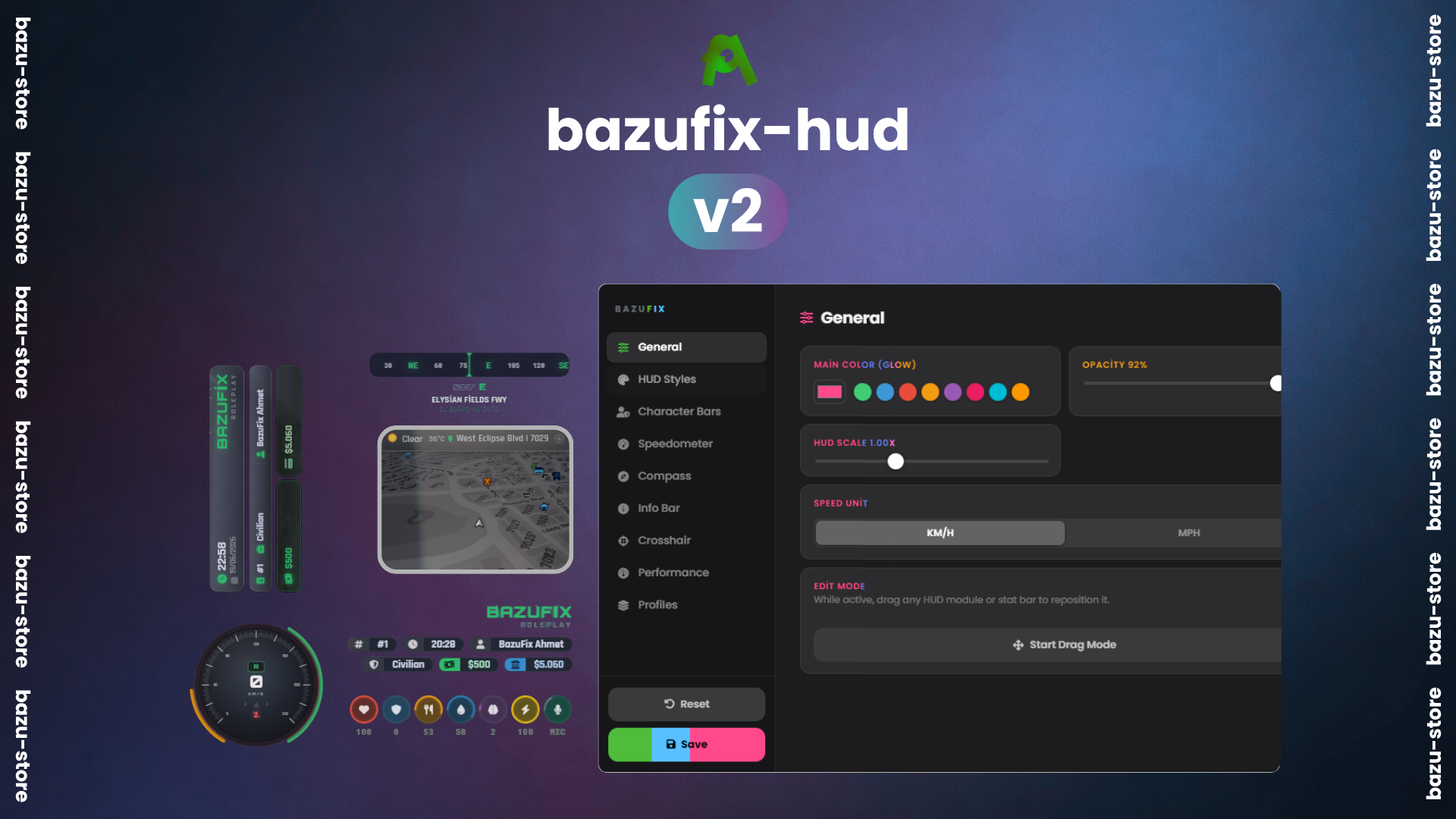
BazuFix HUD V2 is an advanced, fully customizable HUD system for FiveM roleplay servers with multi-framework support, a built-in per-player editor, a custom crosshair engine, and an in-car CarPlay media system. Automatically detects QBCore, QBox, ESX, or Standalone with no manual setup needed.
^block: Core HUD | Comprehensive HUD elements and systems
-
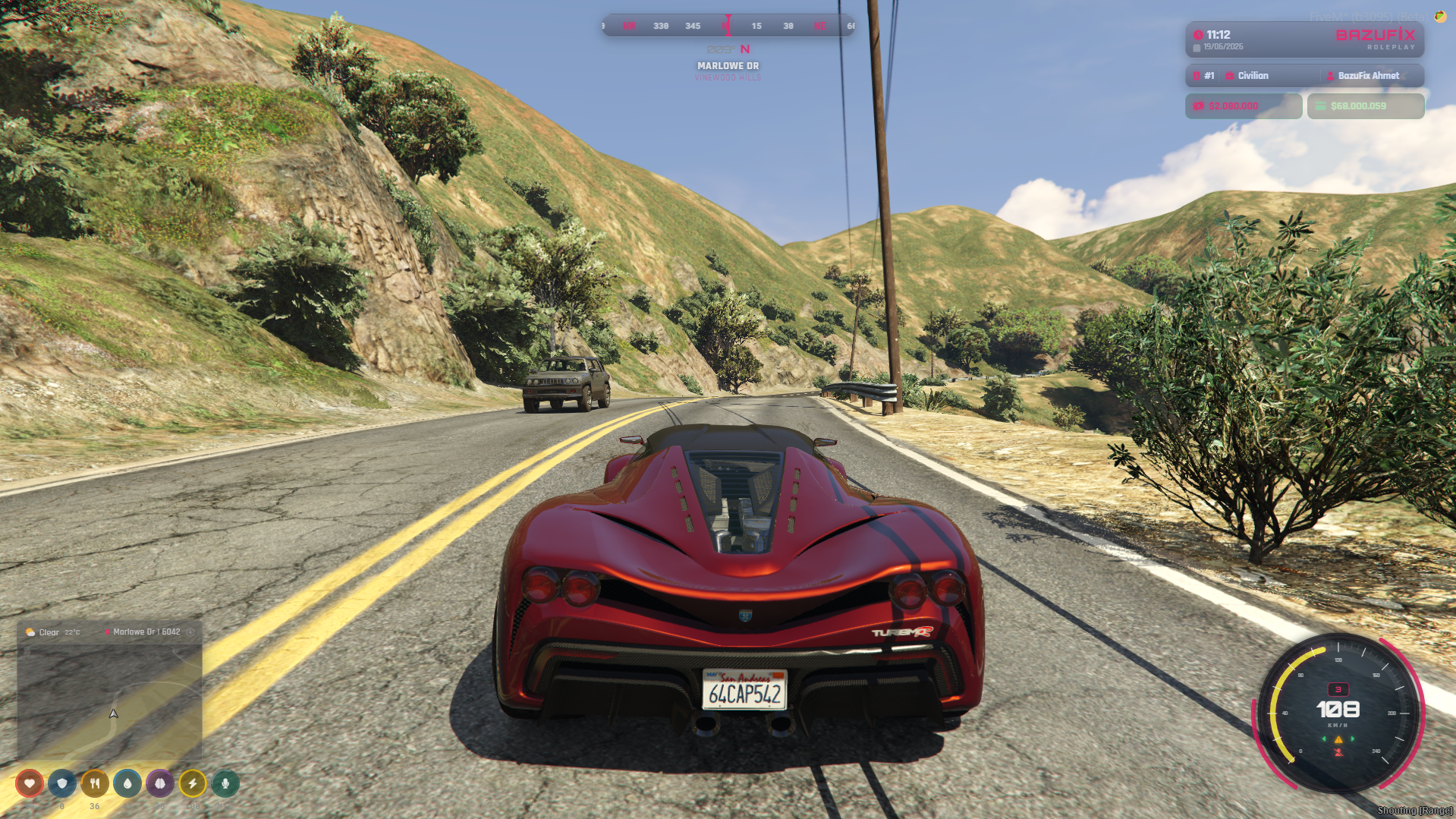
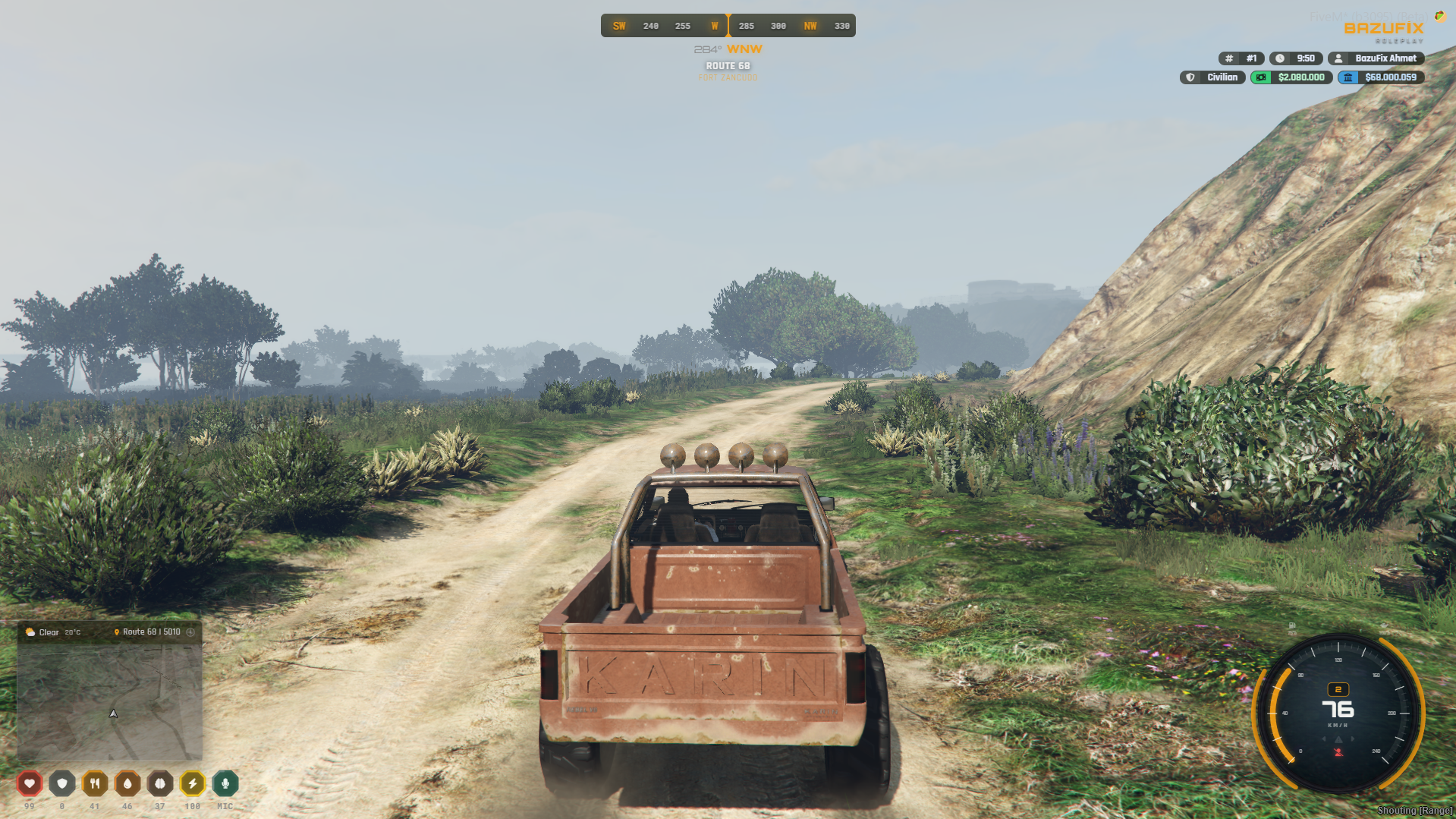
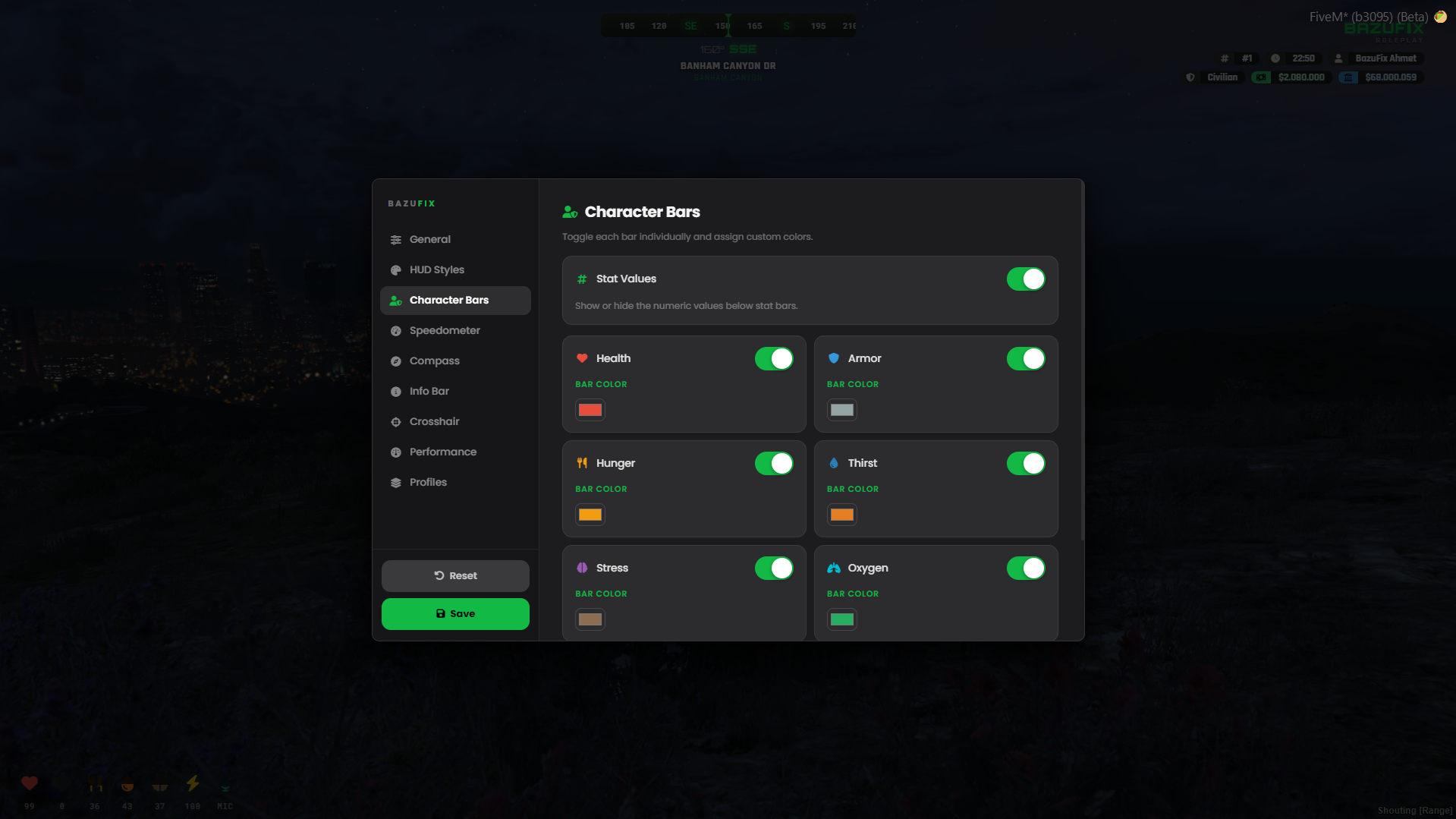
Status bars for health, armor, hunger, thirst, stress, oxygen, and stamina
-
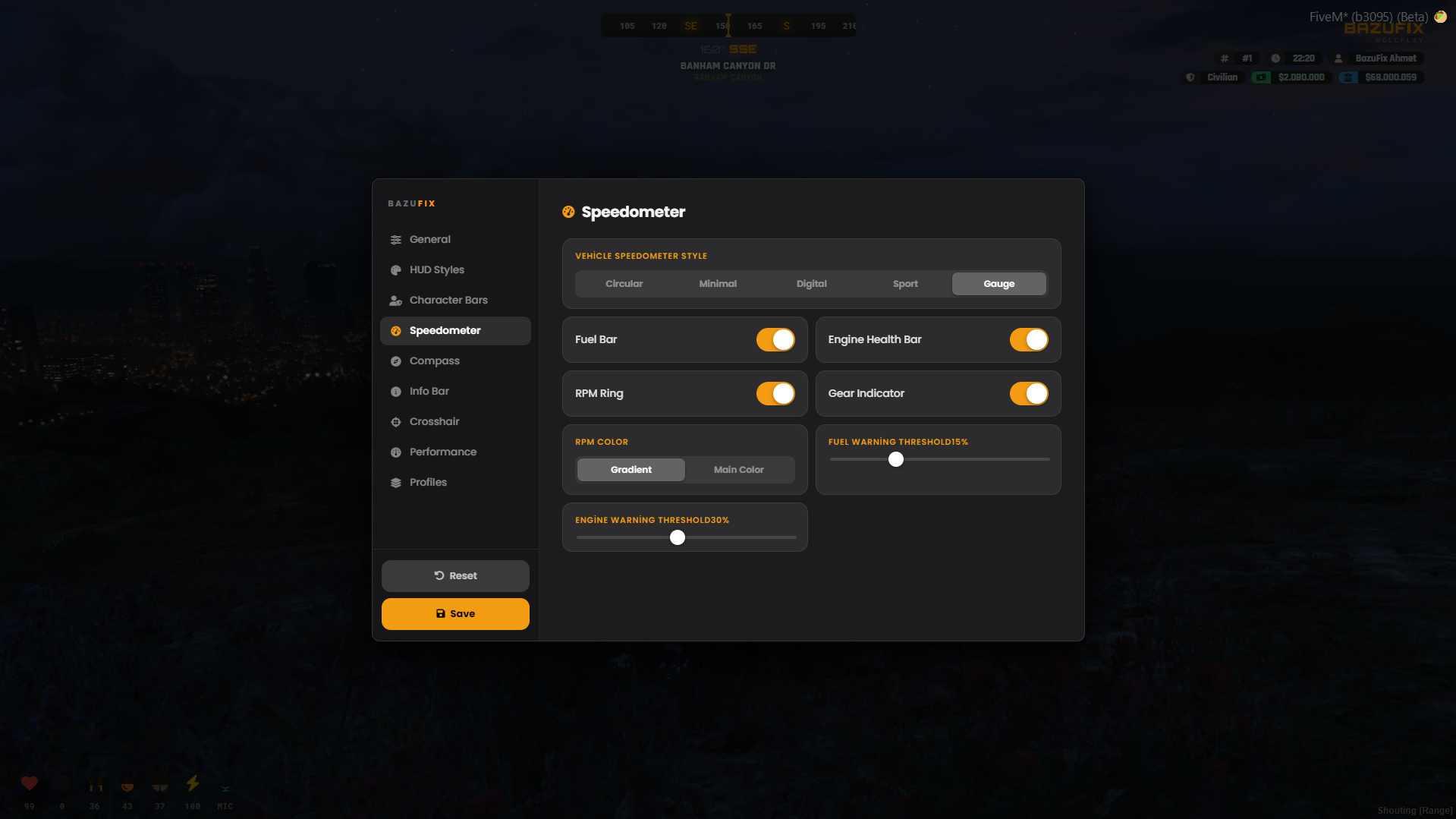
Dynamic speedometer with RPM, gear, fuel, engine health, blinkers, headlights, and altitude
-
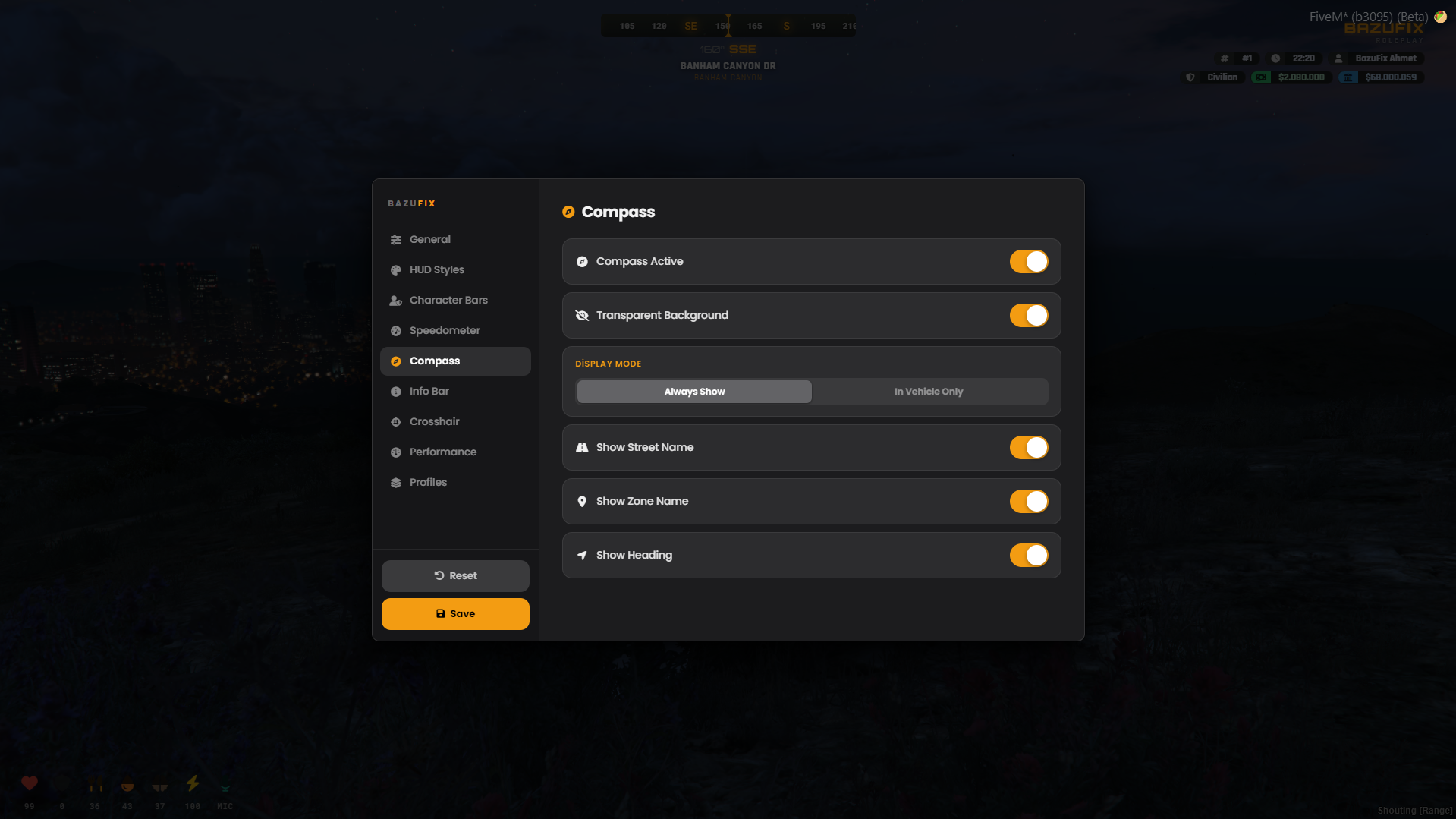
Compass bar with street name, zone, and minimap weather display with temperature and postal code
-
Info bar displaying server name, job, character name, cash, bank, and clock
-
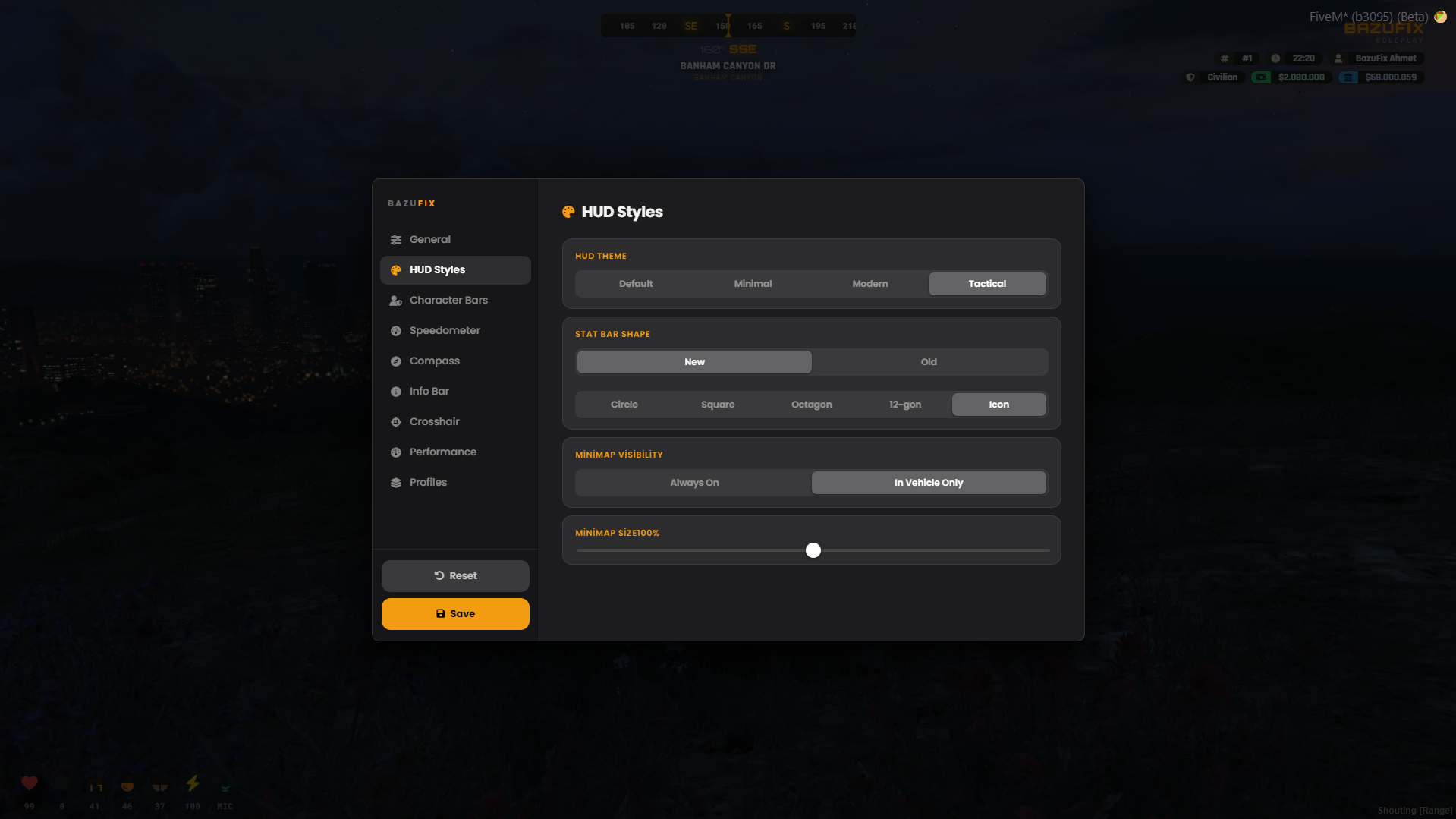
Custom-shaped, freely draggable minimap with adjustable size and position
-
Weapon info bar with equipped weapon icons, clip/reserve ammo, magazine count, infinite-ammo handling, and modded weapon icon support
-
Built-in seatbelt system with HUD indicator and eject mechanic on crash, plus cruise control
-
Stress system with screen-blur effects at high levels, relieved by items or admin commands
-
Cinematic mode to hide the entire HUD
^block: Crosshair Editor | Advanced customizable crosshair engine
-
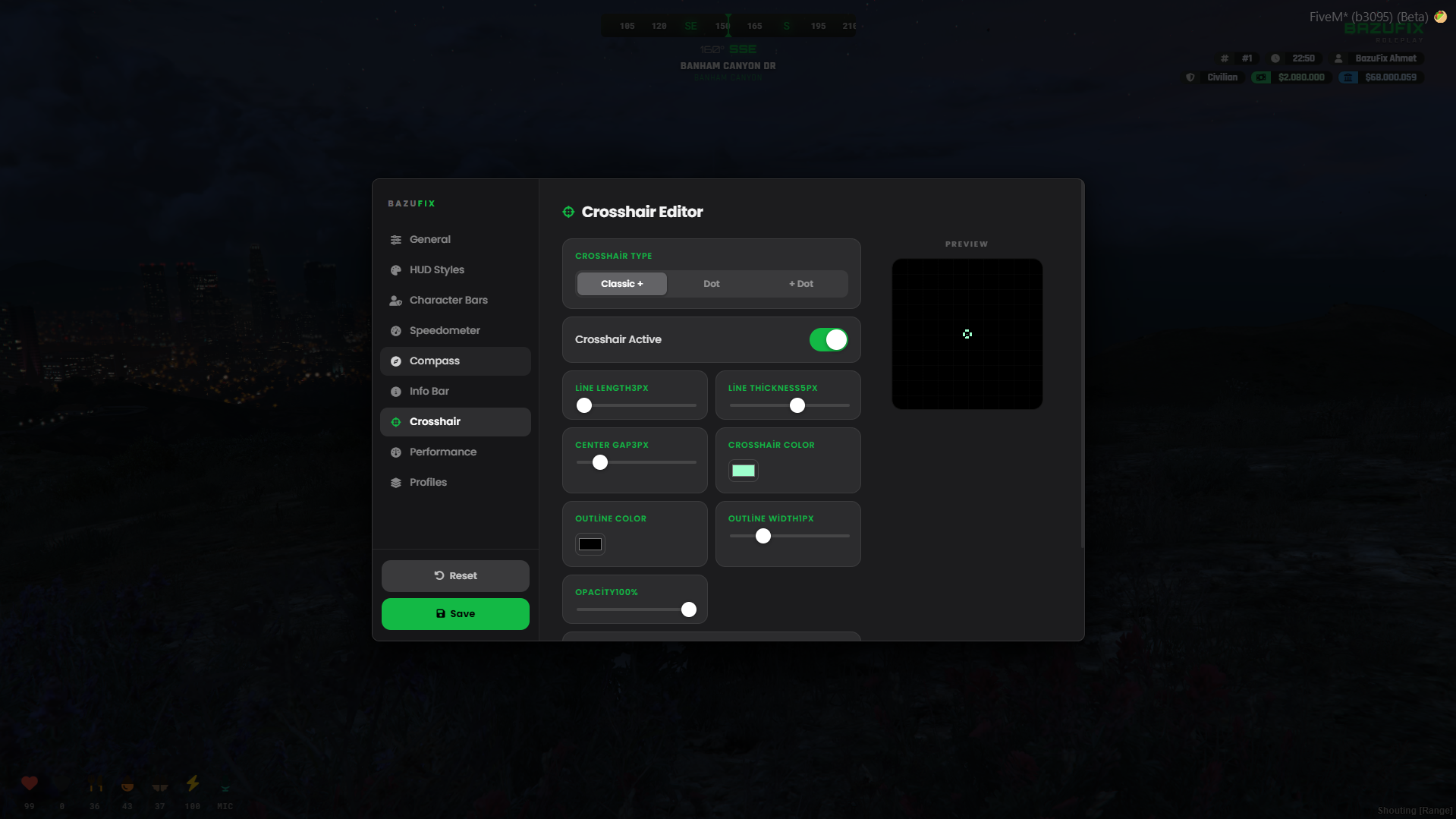
Multiple crosshair types including Classic, Dot, Cross+Dot, and T-Type
-
Full customization for length, thickness, gap, vertical gap fine-tuning, color, outline, opacity, and center dot
-
Dynamic spread where the crosshair kicks out and settles back on every shot fired
-
Ready-made crosshair presets applied with a single click
-
Shareable crosshair codes to export setups as short codes for instant importing
^block: CarPlay In-Car Media | Immersive vehicle infotainment system
-
Full-screen, sleek in-car infotainment interface opened with /carplay
-
Play any YouTube link instantly or queue up multiple tracks with the "Up Next" list
-
Real positional 3D audio via xSound with distance fade and door/window muffling effects
-
Full playback controls including play/pause, skip, loop, scrubbable progress bar, and volume slider
-
"Now playing" strip shown next to the minimap while a track is active
-
Configurable settings to require vehicle engine status, adjustable volume caps, and audio ranges
^block: HUD Editor & Integrations | Per-player setup and framework compatibility
-
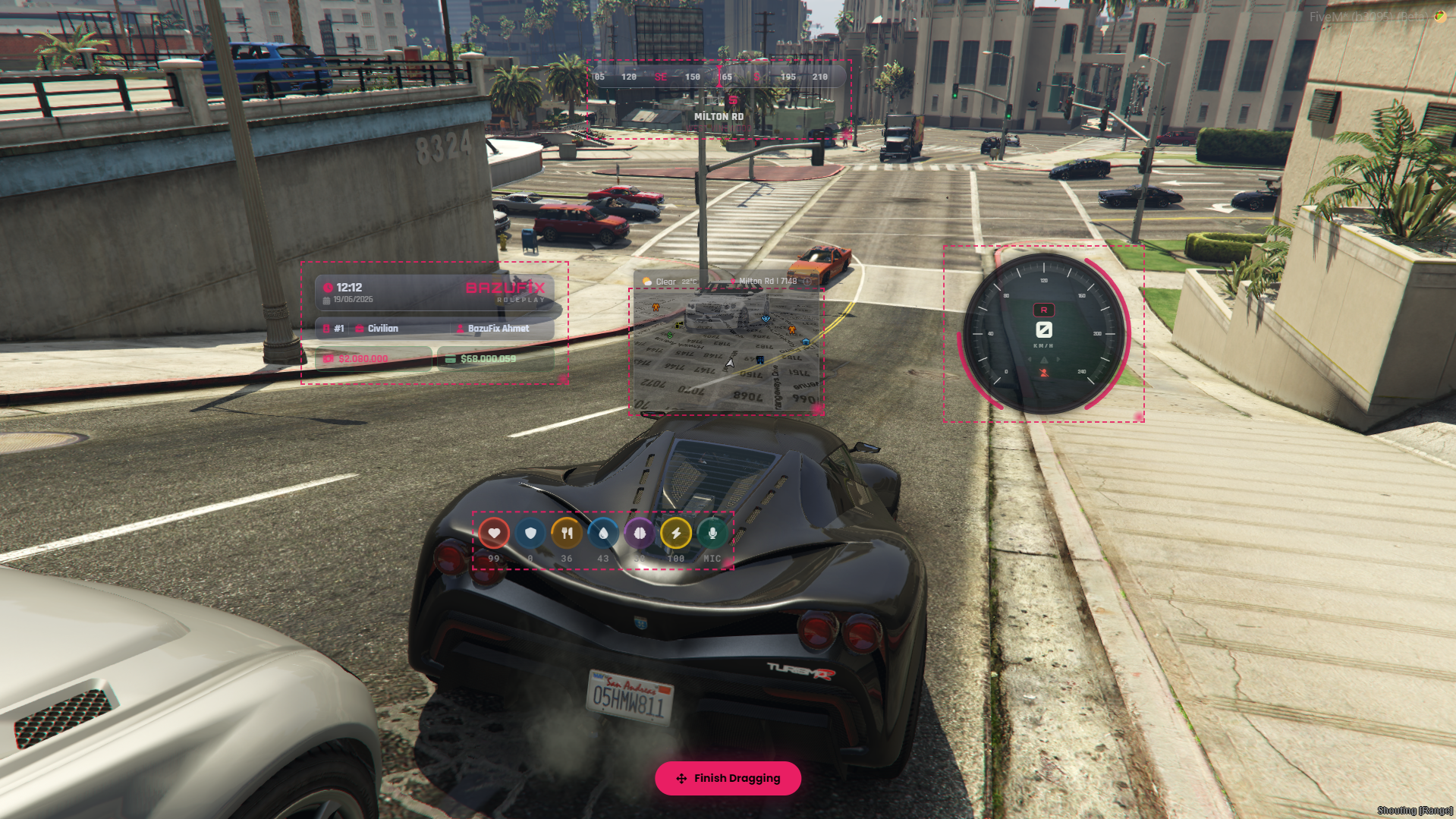
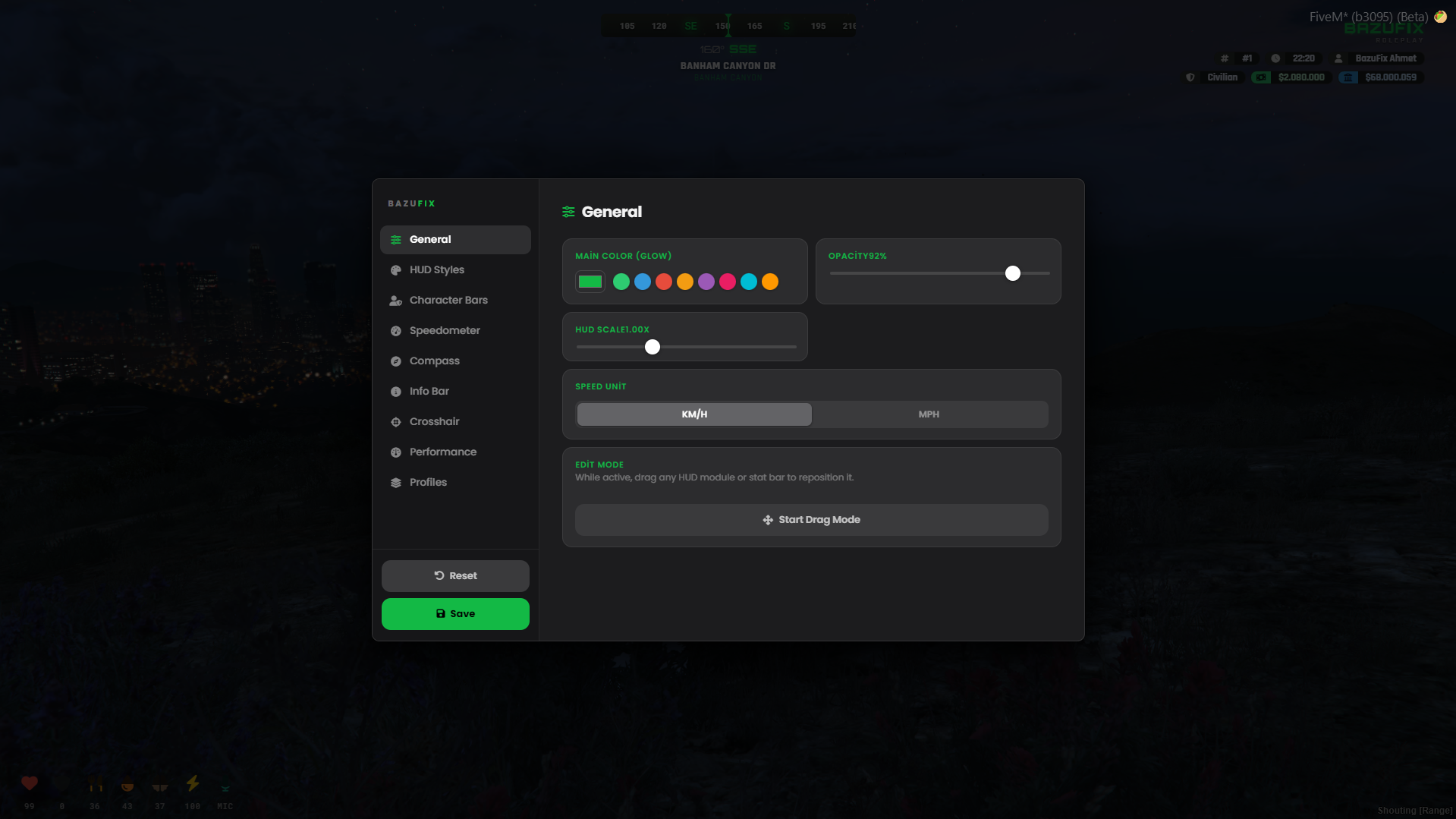
Per-player HUD editor (/hud) featuring drag-and-drop positioning, resizable elements, custom themes, and element visibility toggles
-
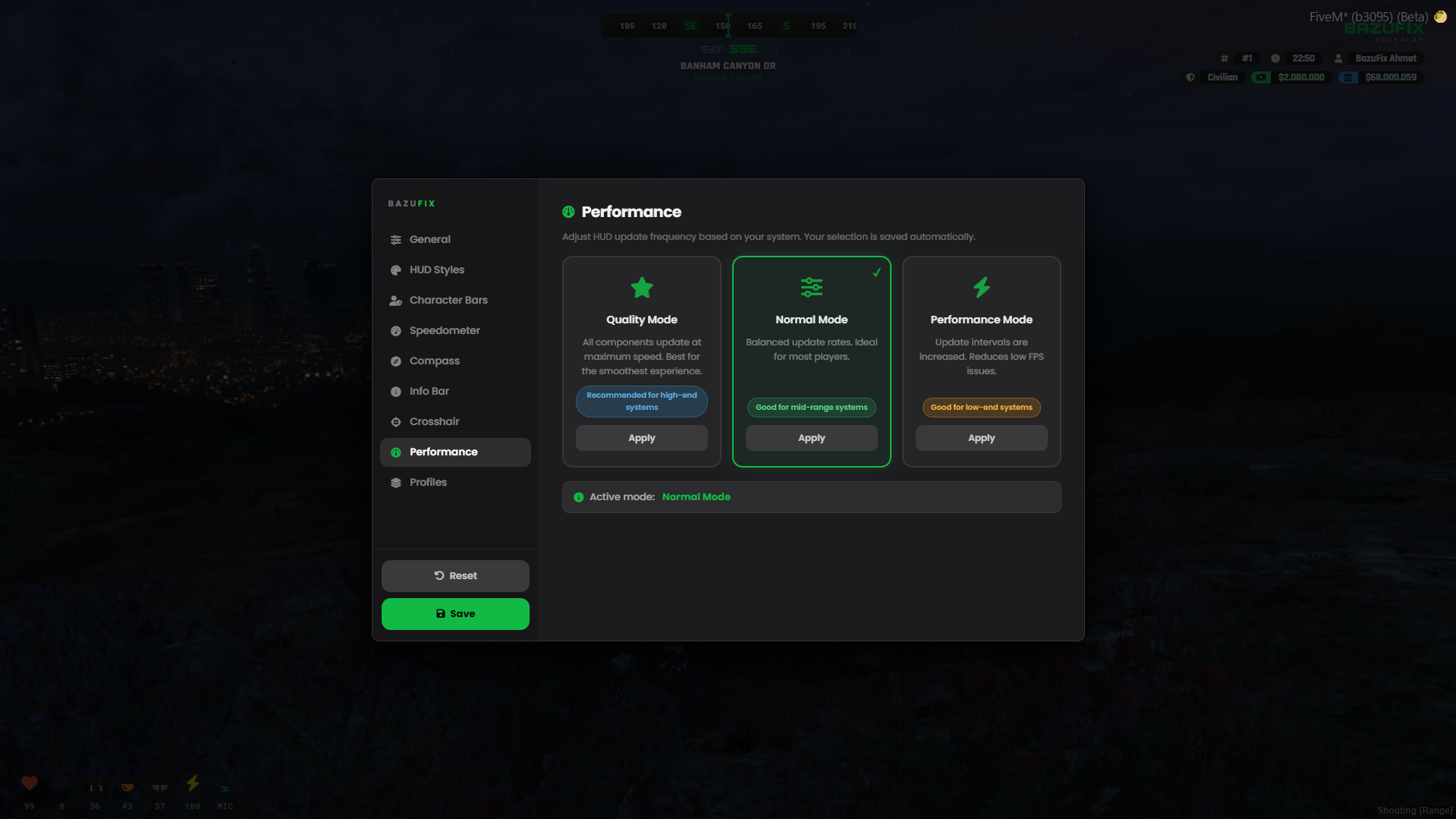
Performance mode presets (Quality / Normal / Performance) saved to the database and auto-loaded on login
-
Built-in fuel integration supporting Custom, BazuFix-Fuel, LegacyFuel, ox_fuel, ps-fuel, or GTA V native
-
Weather integration with qb-weathersync or custom editable sync, nearest-postal, xSound audio, and oxmysql auto table creation
-
Full export support for stress manipulation (GainStress, RelieveStress, SetStress, GetStress) and HUD visibility toggles (hidehud, showhud)
^block: Localization | Multi-language support
- Translated into 16 languages including Turkish, English, German, Arabic, Hebrew, Albanian, Bulgarian, Czech, Greek, Spanish, French, Japanese, Korean, Portuguese (BR), Russian, and Chinese
^block: Documentation & Support | Resources and community
-
Check our documentation at
-
Join our Discord server for support and updates:
^frameworks: ESX | QBCore | QBox